
-
admin
- No Comments
This post is a continuation from previous post on Pine Script Indicator – Market Structure Breakout (MSB). You can refer back to the article.
Below is te step by step guide on how to create Alert when the signal is triggered.
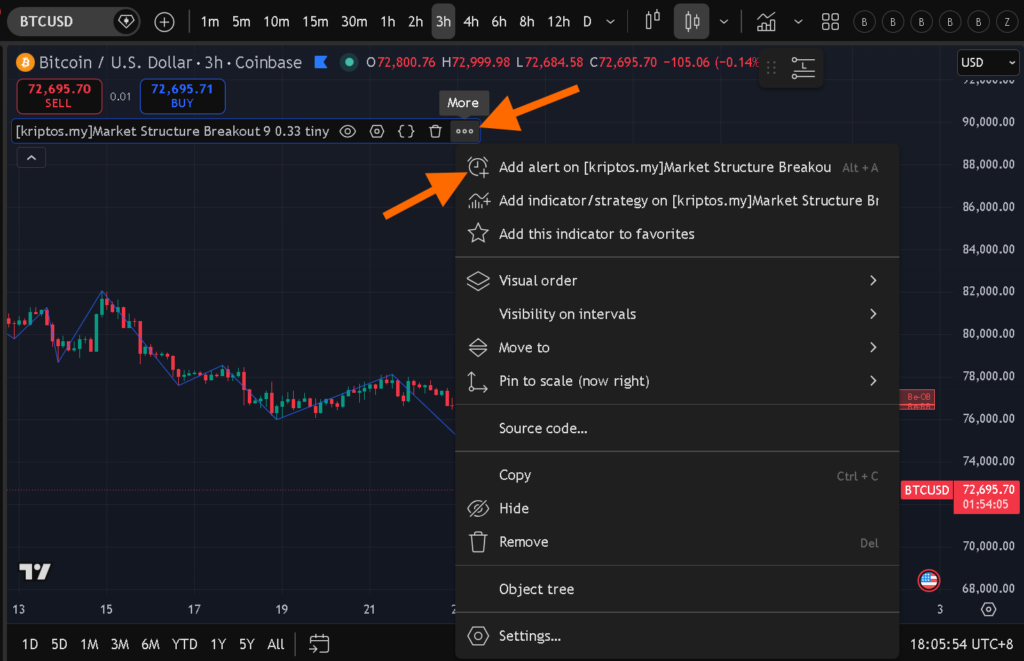
Once, u have applied the indicator on the chart, go to the indicator menu bar, click … More. Then click Add alert on..
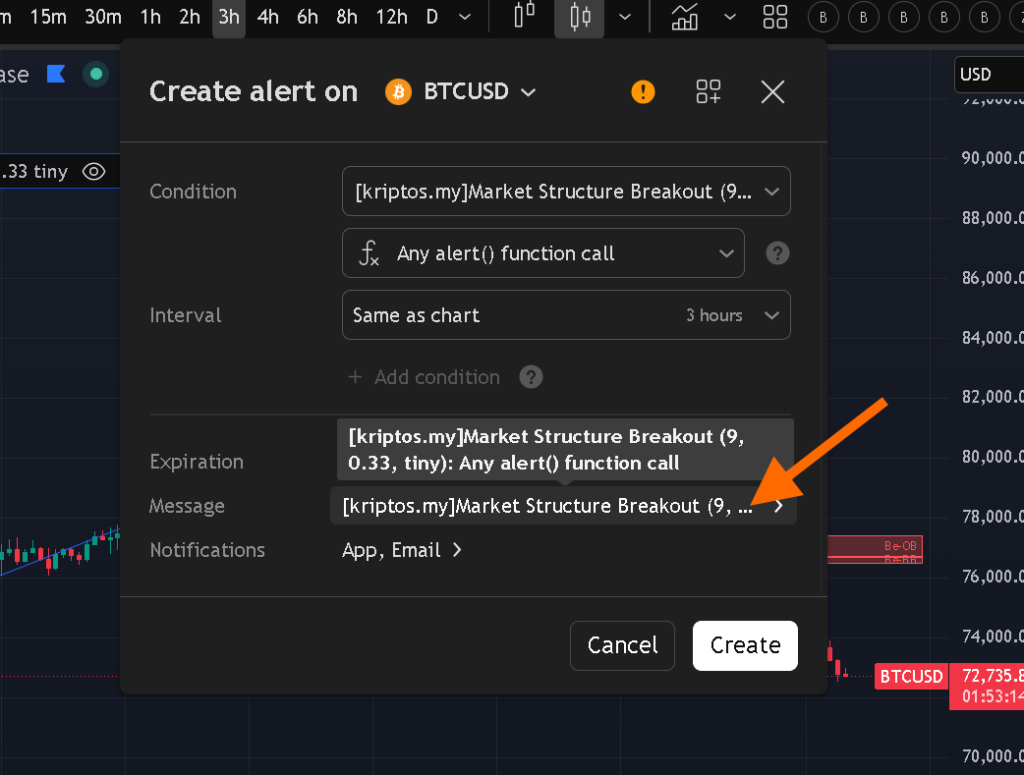
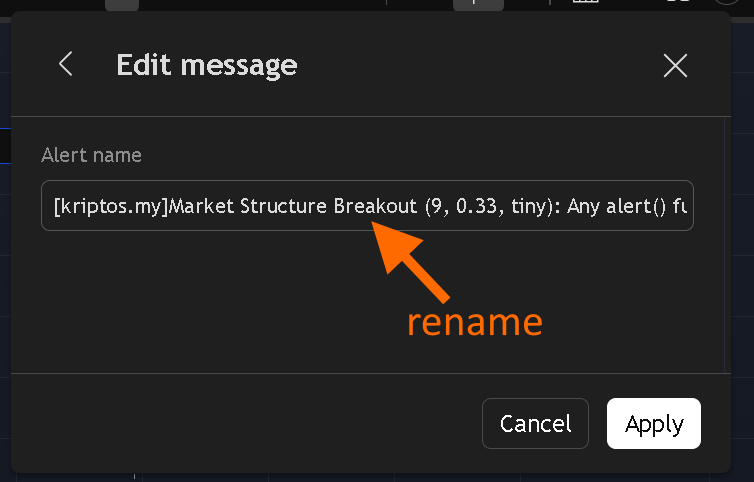
Click on the message to rename it. It will be much easier and clearer when u receive the signal alert.
Copy the text below.
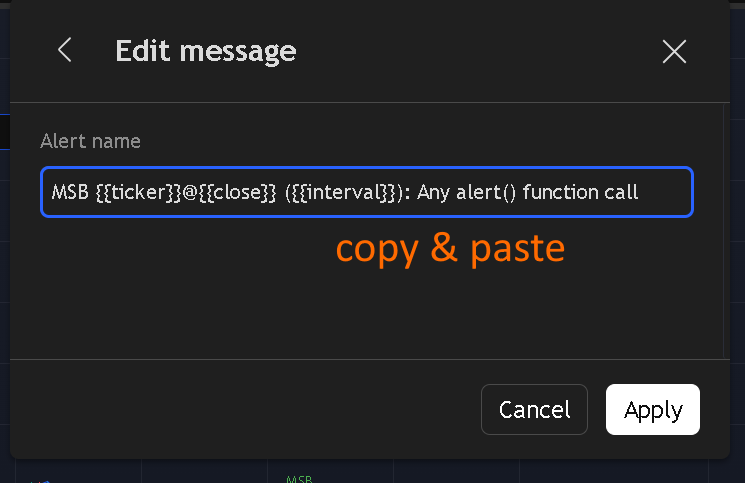
MSB {{ticker}}@{{close}} ({{interval}}): Any alert() function call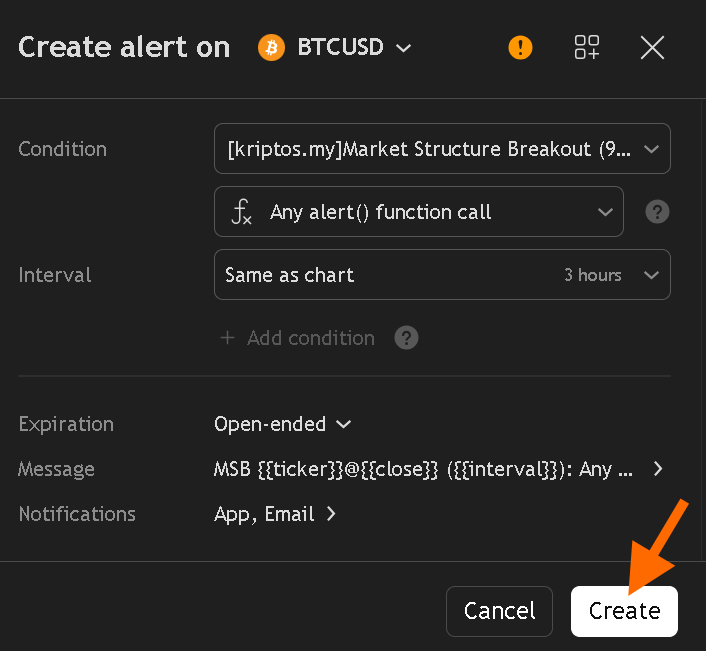
You can choose notification to App only or email as well. I personally only need the App notofication. Once created, you are done. Just wait for the notification. Do take note that any BROKEN BOX will be deleted, that means u wont see it if you go back to chart. You can uncheck the Box deleteion setting, but this will will leave you a messy chart.
*The number of Alert you can create depends on your account level. Personally i am using Premium account, so i can many alert with expiry date for my Alerts.
No Comments